Dictate in VS Code
on Windows.
Productive Voice is a separate Windows app, not a VS Code extension. It pastes into whatever has focus, so it works in VS Code as it does in any other app. It types your words. It does not write syntax by voice.
No card for the trial · $39 once · 14-day refund
How to dictate in VS Code
- Click where you want the text. Productive Voice pastes into whatever has focus.
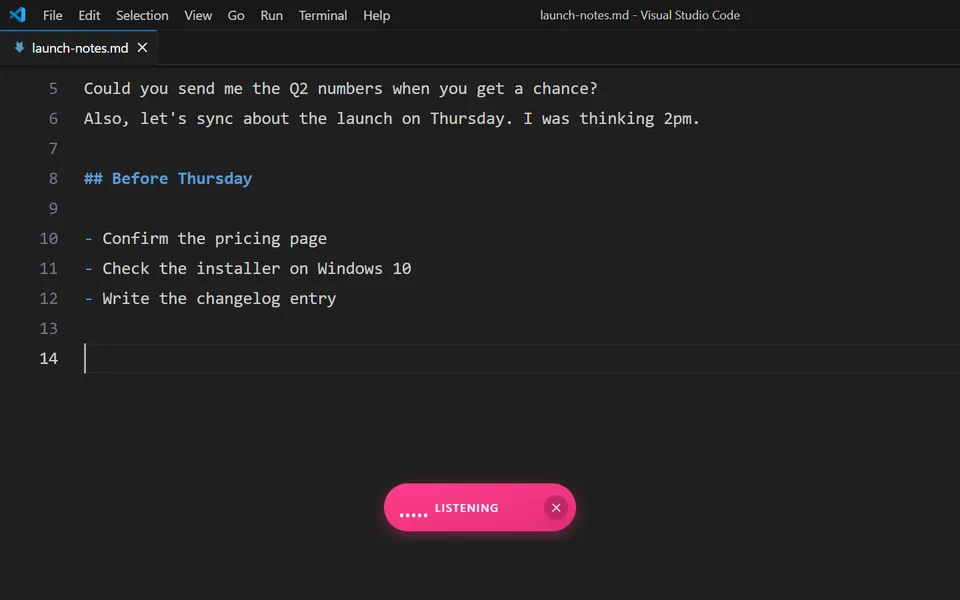
- Press Ctrl Shift Space. The pill appears over the window and starts listening.
- Speak, then stop. The text is pasted at your cursor. The start and stop shortcuts are set in the app's Advanced tab.
Our Features page says Productive Voice works in VS Code, Slack, Outlook, Notion and other Windows apps. That is the same reason it works in your browser or your email client: it pastes into whatever has focus.
What to dictate
- Comments and docs. Say what a function does, then tidy the text.
- Commit messages. Speak the change, and optionally let a Voice format it as a commit message using your own AI account.
- Prompts for AI coding assistants. Long prompts are quick to speak. The result lands wherever your cursor is.
- README and issue text. Prose is where dictation saves the most typing.
Technical terms
If dictation mishears a name or a tool, add a find-and-replace rule to the custom dictionary. The Features page shows "kubernetes" as an example. The rules are stored on your PC and apply every time you dictate, in VS Code or anywhere else.
This fits if
- You want to speak comments, messages and prompts into VS Code.
- You work on Windows 10 or 11, 64-bit.
- You want one tool that also works outside VS Code.
This does not fit if
- You want to write syntax or run editor commands by voice. Productive Voice is dictation, not voice coding.
- You want a feature inside VS Code itself. There is no extension.
- You use a Mac or Linux. It runs on Windows only.
What it costs
$39 once for the licence. After that you pay Deepgram directly, at about $0.008 a minute, which is about $28 a year at 10 minutes of speech a day. New Deepgram accounts get a $200 credit. AI formatting is optional and uses your own OpenRouter or other provider account. Your audio goes to your own Deepgram account, and we collect no telemetry.
Dictation for programmers · Set up a Deepgram account · Requirements · Privacy
Try it in your own editor.
30 days, full-featured, no card. Install it, press the hotkey in VS Code and see how it feels.
Deepgram prices checked on 14 November 2026. Verify before you buy. VS Code is a trademark of Microsoft. Productive Voice is not affiliated with Microsoft.
More: Productive Voice vs Windows voice typing · Productive Voice vs Wispr Flow