Dictation software for programmers,
for the words around the code.
Productive Voice is not a voice-coding system. It does not write syntax for you. It types what you say at your text cursor, in any Windows app. That covers a lot of a developer's day.
No card for the trial · $39 once · 14-day refund
Where it helps
- Code comments and docs. Explaining a function out loud is often quicker than typing it. Dictate the comment, then edit it.
- Commit messages and pull request text. A Voice can turn a rambling explanation into a tidy commit message, using your own AI account. This formatting is optional.
- Prompts for AI coding assistants. Long prompts take a while to type. Speak the context, the constraint and the goal, and it lands in the chat box where your cursor is.
- Messages and email. Slack, Outlook and Notion are on the list of apps Productive Voice works in.
How it works
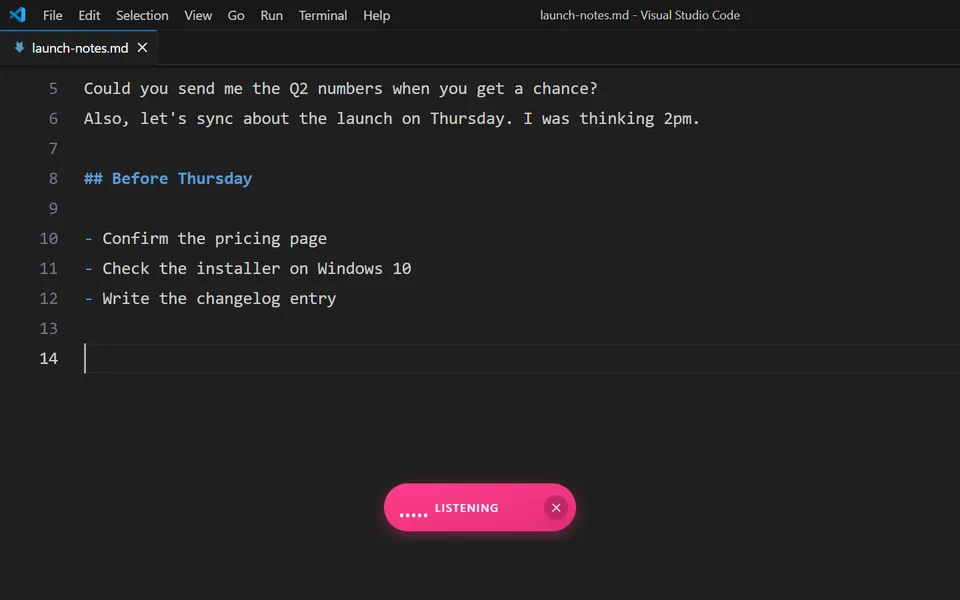
Press Ctrl Shift Space, speak, and the text appears where your cursor is. Productive Voice pastes into whatever has focus. Our Features page says it works in VS Code, Slack, Outlook, Notion and other Windows apps.
Speech goes from your PC to your own Deepgram account. We have no account system, run no servers for audio or text, and collect no telemetry.
Technical terms and the custom dictionary
Dictation tools often mishear technical words. The custom dictionary is a set of find-and-replace rules that you control. If it keeps typing the wrong word for "kubernetes", add a rule once and it is fixed from then on. The dictionary is stored on your PC. The Features page has a live demo.
Choose Productive Voice if
- You want to dictate prose: comments, docs, commit messages, prompts and chat.
- You work on Windows 10 or 11, 64-bit.
- You want to pay once and keep your audio in an account you control.
Look elsewhere if
- You want to write syntax, move around code and run editor commands by voice. That needs a voice-coding system, and Productive Voice is not one.
- You work on a Mac or Linux. Productive Voice runs on Windows only.
- You want no extra account. It needs a Deepgram account, which takes a few minutes to set up.
What it costs
The licence is $39, once, for one device, with updates. After that you pay Deepgram directly, at about $0.008 a minute. At 10 minutes of speech a day that is about $28 a year. New Deepgram accounts get a $200 credit. Optional AI formatting uses your own OpenRouter or other provider account, so it adds a little more. There is a 14-day refund, and the 30-day trial needs no card.
Dictate in VS Code · See every feature · Set up a Deepgram account · Requirements
Try it on your own work.
30 days, full-featured, no card. Dictate a few commit messages and prompts and see if it earns its place.
Deepgram prices checked on 14 November 2026. Verify before you buy. Productive Voice is a product of Prtotype.
More: Productive Voice vs Windows voice typing · Productive Voice vs Wispr Flow · Productive Voice vs Dragon